Practical Guides
Before you print a Google review QR, test the whole invitation.
A working checklist for the right destination, a readable print and an honest request. Start with one placement, catch avoidable friction and measure only what you can actually observe.
By Mister Ripple ·
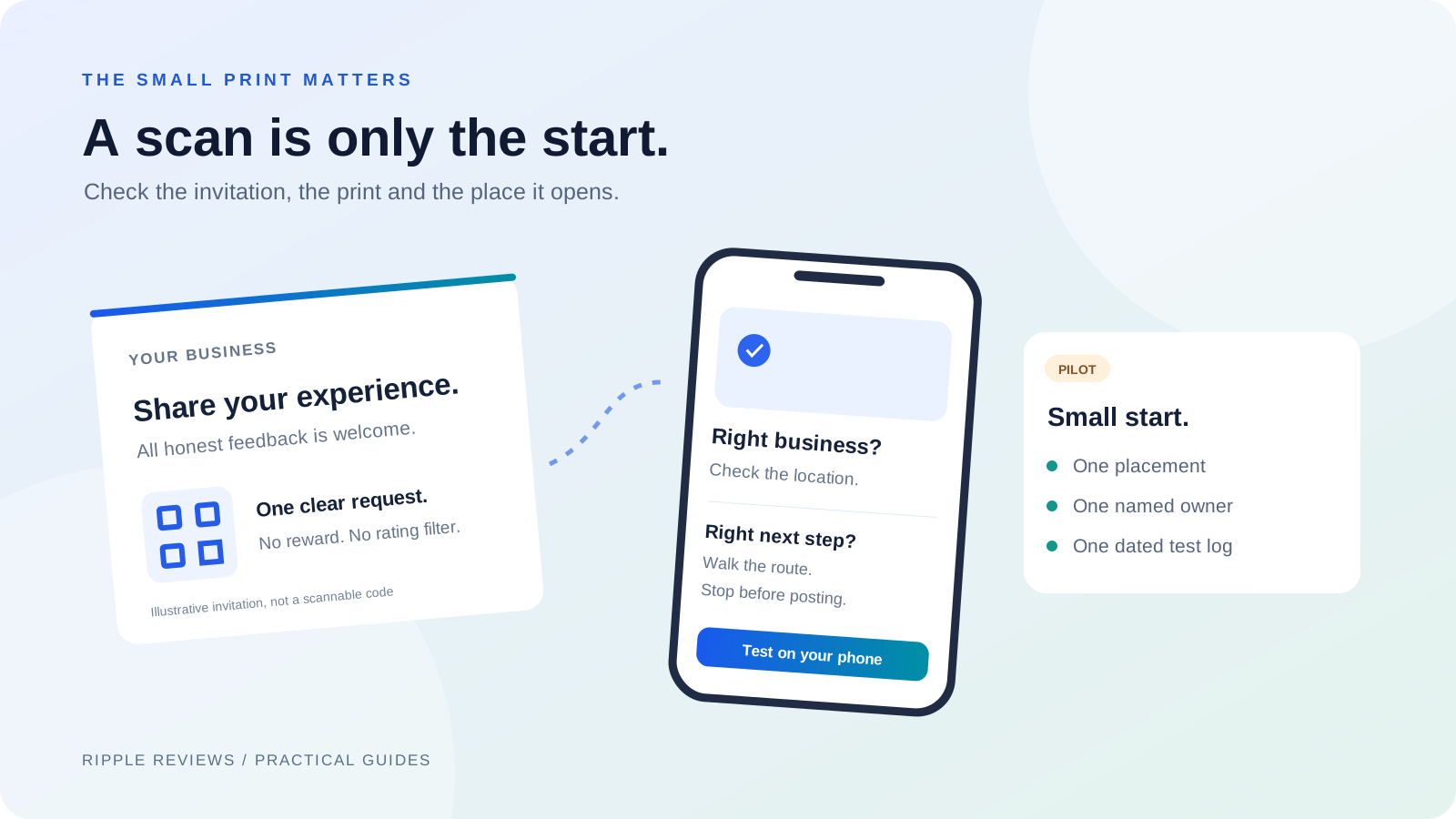
Interactive tools load with JavaScript. The article text and source links are available below.
Key takeaways
- A QR that decodes correctly can still lead to the wrong business or a frustrating experience.
- Test a real print on ordinary phones before ordering signs, receipts or packaging.
- Use a voluntary, neutral invitation. A scan, an opened form and a published review are different events.
Give this code one clear job
A customer sees a small square on a receipt. What happens next should be easy to explain: it opens the Google review destination for the business they actually visited. Adding a code is the easy part. Checking that the printed promise survives the full journey takes a little more care.
For a direct review QR, keep the request simple: “Share your experience on Google. All honest feedback is welcome.” Do not disguise a review request as a product guide, support form or coupon. Those are different customer tasks and deserve their own clearly described routes.
Ripple’s free generator creates a static code containing your Google review link. Sign in with a free Ripple account to create and download; no card or paid subscription is required. It does not collect customer details, verify a purchase or record scans. Use it when an uncomplicated direct invitation is the job you need done.
Check the business before you check the artwork
Start with the review link from the correct Google Business Profile. Google’s instructions describe getting a review link or QR code through the profile’s review controls. In a business with several branches, confirm the exact location rather than assuming the first result is the right one.
Open the destination on a phone and read the business name and address. Then scan the generated code and repeat the check. If Google asks for sign-in, observe that step without submitting a review. A successful format check in a generator does not establish that the profile exists, is yours or accepts reviews.
A Place ID is another way to construct the destination. It identifies a place; it is not proof of ownership. Google notes that IDs can change. Save the input with your artwork and retest the destination when the business moves, the profile changes or an old print run is reused.
- Ask a colleague to identify the destination without being told which branch it should be.
- Try the printed code on another phone and, where practical, another network.
- Stop at the review interface. Never submit a fabricated customer review as a test.
Approve a physical proof, not just a screen preview
Print one sample at the size and on the material you intend to use. A sharp design on a monitor can become a blurry receipt, a reflective counter sign or a curved label. Test where a customer would actually stand, under the lighting they will encounter.
Keep a clear margin around the code and strong contrast between its dark modules and light background. Avoid stretching the artwork or adding overlays after export. If you use a logo, add it through the generator so it can reserve a small center area and use higher error correction. Keep that version intact and test it too. There is no single print size that guarantees success across every camera, surface and viewing distance; the physical proof is your acceptance check.
Put the request and business name close enough to make the purpose clear. A short, readable route to your business website can provide another way to find help if scanning fails. Keep support available independently of whether someone chooses to review. If you change the encoded destination, generate a new QR and replace every affected print.
Make the invitation easy to decline
Google’s contribution policy requires genuine experiences and prohibits review incentives and selectively soliciting positive reviews. Invite honest feedback without screening customers by satisfaction, requesting a particular star rating or offering something in exchange for a review.
Keep the interaction voluntary. Google also prohibits pressuring customers to review on the premises and asking staff to solicit a set number of reviews or particular review content. Give the team a neutral explanation of the code and let the customer decide whether and when to use it.
For this direct-to-Google print, leave rewards out of the request entirely. If you separately run a customer benefit campaign, its benefit must never depend on a review or rating. Review each campaign against the destination’s current rules. Resolving an issue, offering support and obtaining marketing permission are separate decisions.
- Use: “If you would like to share your experience, this opens our Google review page.”
- Avoid: “Scan for five stars,” “Show us your review for a discount,” or “Only happy customers should use this.”
- Do not ask a customer to show a submitted review or stand over them while they write it.
Run a small, observable pilot
Here is a hypothetical operating plan, not a customer result: one shop tests a receipt invitation for seven days. Its manager checks one printed receipt each morning, keeps the wording unchanged and records technical failures. The team does not add a second placement halfway through, which would make the first test harder to interpret.
Before starting, record the location, exact destination, placement, artwork version, start and end dates and person responsible. Note the public review count at both ends of the same window if that is useful. A change in that count can have other causes, and publication delays can affect what you see. It does not establish how many reviews came from this QR.
Use the log to make an operating decision: keep the print, fix a specific problem or pause it. If a customer reports the wrong branch, stop distributing that version and replace it. If scanning is difficult, test the physical proof again before blaming the request or buying a larger print run.
| What you observe | What it establishes | What to do next |
|---|---|---|
| A phone decodes the print | That sample was readable in those conditions | Check the destination and repeat on another phone |
| The correct review interface opens | The route worked for that test session | Document any sign-in or access friction |
| A customer reports a problem | A specific failure needs investigation | Record the placement, device and next action without private customer details |
| Public review count changes | The visible count changed during the window | Record the dates; do not attribute the change to the QR alone |
Know what this free QR does not measure
A static direct QR contains the destination itself. Ripple’s free tool does not put a tracking redirect between the customer and Google, so it has no scan dashboard to report. A camera opening, a destination loading and a review being published are separate events. Do not label one as another or invent a conversion rate from a public count.
The code has no Ripple subscription expiry. Its usefulness still depends on the Google destination and the condition of the print. You cannot edit an already printed static code to point somewhere else. Keep the source file and a list of placements so you know what to replace.
When you need configurable customer forms, chosen permissions, issue follow-up or benefit delivery, explore a Ripple campaign as a separate journey. It is not a hidden requirement for using the free tool. In the benefit-first journey, delivery happens during the brief thank-you before automatic review routing; public destinations remain available at every rating.
Leave a handoff someone can maintain
Save the approved artwork, exact destination, test date and owner in a shared place your team already uses. Write down where copies were placed and what should trigger a retest: a new receipt printer, different stock, a relocated sign, an updated profile or a changed destination.
Use the checklist above as a discussion aid, not a certification. Tick an item only after someone has checked it. If a check fails, keep the print run on hold, assign the correction and repeat the affected tests. The goal is a dependable invitation your team understands, not simply a completed design file.
- One correct business and location, confirmed on a phone.
- One physical proof tested at the actual placement.
- One neutral invitation with no reward, rating filter or pressure.
- One named owner, a dated test log and a clear replacement plan.