Practical Guides
A redeemed benefit is a signal. A return purchase needs evidence.
A practical worksheet for separating benefits issued, redemptions and confirmed return purchases, so your next retention decision starts with the right records.
By Mister Ripple ·
Interactive tools load with JavaScript. The article text and source links are available below.
Key takeaways
- Count unique benefits, redemption events, orders and customers separately. They answer different questions.
- Calculate a redemption rate only when the numerator belongs to the same issued-benefit cohort.
- Use order or booking evidence to establish a return purchase. A redemption or repeated email address is not enough.
- Keep benefits independent of reviews and ratings, and keep marketing permission separate from issue contact.
Start with three records, not one success number
A customer receives a next-visit benefit. Later, someone looks it up at the counter and records a redemption. Those are useful events, but neither tells you on its own whether a new purchase happened. If the team calls every redemption a returning customer, the report can look stronger than the evidence.
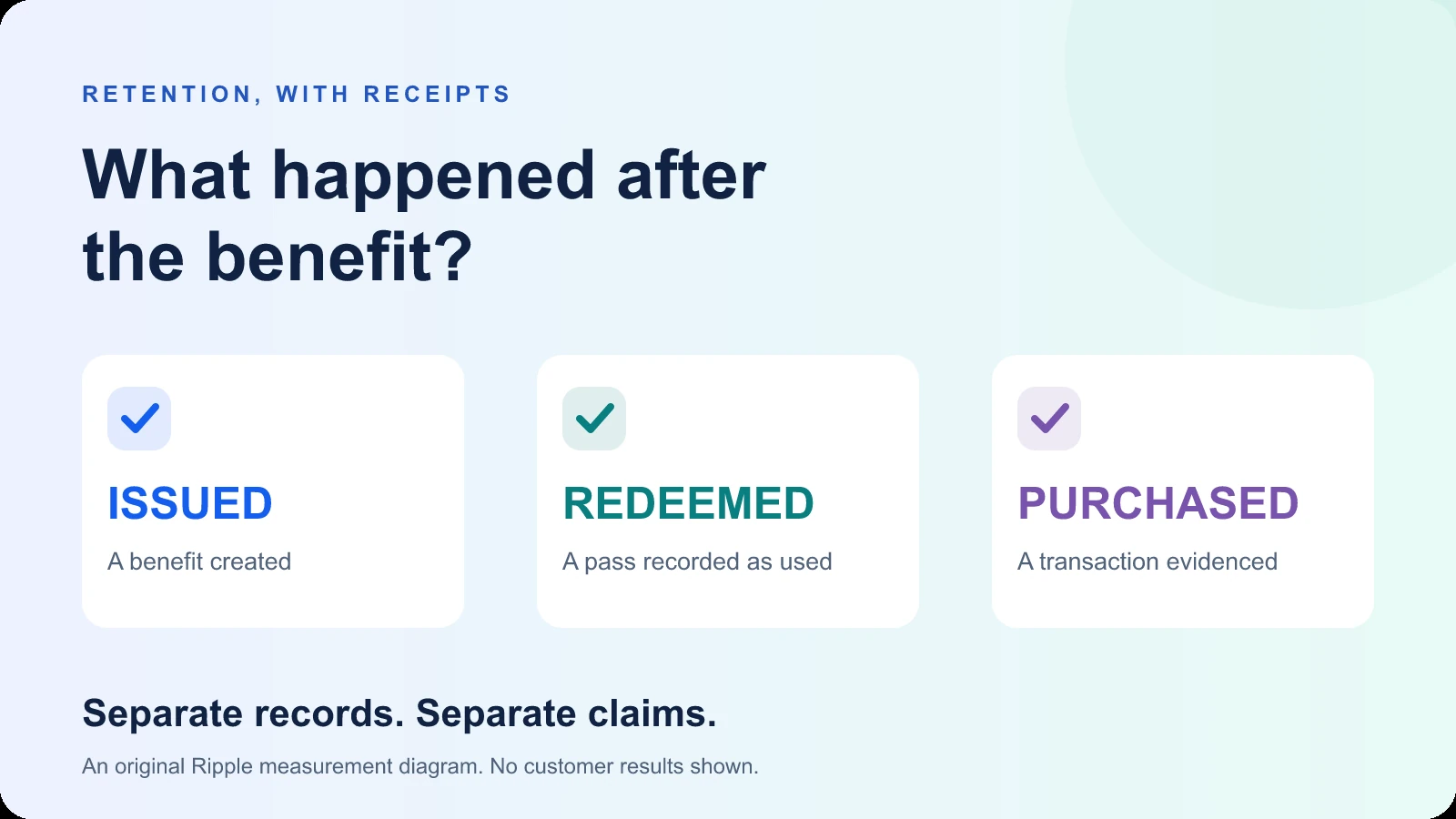
Write down what each record actually represents. An issued benefit is an opportunity made available. A recorded redemption shows that a benefit was used in the workflow. A completed purchase requires a transaction record in the system that handled the sale. A return purchase additionally needs evidence of an earlier purchase by the same customer under your agreed matching rule.
The aim is a useful operational picture. You can still learn where people engage, where staff need help and which offers need clearer terms before you can establish transaction-level outcomes.
| Record | Useful statement | Evidence still needed |
|---|---|---|
| Benefit issued | A benefit was created for this customer interaction. | Whether it reached the person, was used or led to a purchase. |
| Redemption recorded | This unique benefit has a recorded redemption. | The linked order or completed booking, its status and the matching rule. |
| Completed purchase | A distinct transaction met your completion rule. | A prior qualifying purchase to call this a returning buyer. |
| Returning buyer | A matched customer has an earlier and a later qualifying purchase. | A valid comparison to claim the benefit caused that return. |
Fix the cohort before dividing anything
Choose one offer or campaign, the locations in scope, the issue window and the redemption observation cutoff. Keep the definition next to the numbers. A cohort is the specific set of issued benefits you are following, not everything that happened to appear on the same dashboard this month.
For a cohort redemption rate, count unique benefits issued in that set, then count only redeemed benefits belonging to that same set. A benefit issued before the selected window can be redeemed inside it. Including that redemption while excluding its issue record mixes populations. A lookup that says already redeemed is also not another redeemed benefit.
Allow comparable time to respond when you compare cohorts. Yesterday’s new offer has had less time to be used than last month’s offer. Either use a consistent follow-up duration or clearly label the different observation cutoffs. The worksheet below checks arithmetic and your stated scope; it does not verify the source records.
- Record the offer, location scope and date window, including the time zone.
- Choose whether you are counting unique benefits, events, orders or people.
- Deduplicate the benefit identifiers before calculating a cohort rate.
- Keep older-cohort redemptions and unmatched records in separate totals.
A fictional example with an honest conclusion
Imagine one cafe offer with 80 unique benefits issued to a defined cohort. By the agreed observation cutoff, 18 of those benefits have a recorded redemption. The cohort redemption rate is 18 divided by 80, or 22.5%. These numbers are an invented planning example, not Ripple customer results or a suggested performance benchmark.
The cafe’s order system can match 11 of those redemptions to distinct completed orders. Of the matched customers, seven have an earlier qualifying purchase under the cafe’s rule. The remaining redemptions have no usable order match. That is a gap in the evidence, not proof that no purchase occurred.
A defensible summary is: “18 of 80 issued benefits were recorded as redeemed; 11 redemptions were linked to distinct completed orders; seven matched customers had a prior qualifying purchase.” Do not turn that into “18 returning customers” or multiply 18 by an average basket and call the result measured revenue. The count of orders and the count of customers are different units.
Let the transaction system establish the purchase
Use the order, booking or point-of-sale system you already operate to confirm the transaction and its status. Where a completed booking is your outcome, agree whether a reservation, an attended appointment or a settled service transaction qualifies. Keep cancellations, refunds and duplicate imports visible according to that definition.
A stable transaction reference helps distinguish one order from a duplicate record. Google Analytics documents transaction IDs for deduplicating web purchase events and handling refunds. That is a useful measurement principle, not a claim that a Ripple redemption automatically creates an Analytics purchase event or reconciles your orders.
Define customer matching separately. Shopify’s customer reports distinguish a returning customer through order history, and its cohort analysis groups customers by their first purchase. Those definitions illustrate why repeated benefit claims are not a substitute for purchase history. Use identifiers you are authorized to use, keep personal details out of shared summaries and record unmatched cases without guessing.
- Name the transaction system, completion rule and matching owner.
- Retain a stable, non-public order reference for reconciliation; share aggregates publicly.
- Separate duplicate orders, refunds, unmatched redemptions and unidentifiable customers.
- Call a return purchase only when both the prior and later qualifying purchases are evidenced.
Sources: Google Analytics: transaction IDs and duplicate purchase events; Shopify: returning customers and cohort definitions
Use Ripple for the signals it actually records
Where Benefit Passes are configured, Ripple’s Benefit Analytics exposes issued and redeemed benefit records, status and timestamps, scan actions and repeat-engagement signals. Use those records to investigate how the benefit journey is operating. A lookup, an expired attempt and a successful redemption are different events.
Keep the scope and selected date range visible when interpreting the screen. A dashboard rate is not automatically the same as the matched cohort calculation described here. Check which issue records, redemption timestamps and filters contribute to it before comparing two locations or offers. The worksheet does not import or change your dashboard data.
A customer appearing more than once in benefit records can indicate repeat engagement. It does not by itself establish two paid visits. Transaction matching, a tested order connection or an agreed reconciliation process remains a separate requirement. Start with the records you have, then close the most useful evidence gap.
Keep the benefit promise separate from reviews
Explain the benefit, eligibility, expiry and redemption process before the customer participates. Do not require a public review, a positive rating or proof that a review was posted to receive or redeem it. Google’s policy prohibits benefits offered in exchange for reviews; the relationship between the offer and the review request matters.
In Ripple’s benefit-first form journey, the configured benefit is emailed during the brief thank-you before the automatic review redirect. Public routing remains available at every rating. Lower ratings can reveal optional issue details and contact permission; marketing permission is a separate choice. Train staff to honor those choices independently of the redemption report.
Give the team a simple exception path if a customer cannot use the benefit. Resolve the benefit issue on its own terms. Do not ask the customer to improve, remove or complete a public review as a condition of help.
Sources: Google Maps policy: benefits offered in exchange for reviews
Leave a one-page handoff the next shift can use
End the review with an owner and one next action. If redemptions cannot be matched to orders, improve the permitted reconciliation process. If most exceptions are expired or already-used passes, inspect staff instructions and the customer-facing terms before changing the offer. If the observation windows differ, fix the comparison before declaring one location better.
For a first pilot, choose a manageable offer and location scope and retain the original definitions for the next review. An improvement in matched outcomes is an observation. A causal lift claim needs a suitable comparison or experiment, including differences in timing, customer mix and other promotions. Do not manufacture a revenue conclusion from a convenient multiplier.
- Save the campaign, cohort, issue window, observation cutoff and time zone.
- Record unique benefits issued and redeemed, with the source and extraction date.
- Record distinct completed order matches and separately identified returning buyers.
- List unmatched records, duplicates, refunds and definition changes.
- Confirm the benefit is independent of any public review or rating.
- Assign the next action, its owner and the next review date.